Troubleshooting
Something not behaving? This page collects the failures people actually run into, grouped by where they show up, with a link to the deeper fix for each. Skim for your symptom and follow the link.
Installing
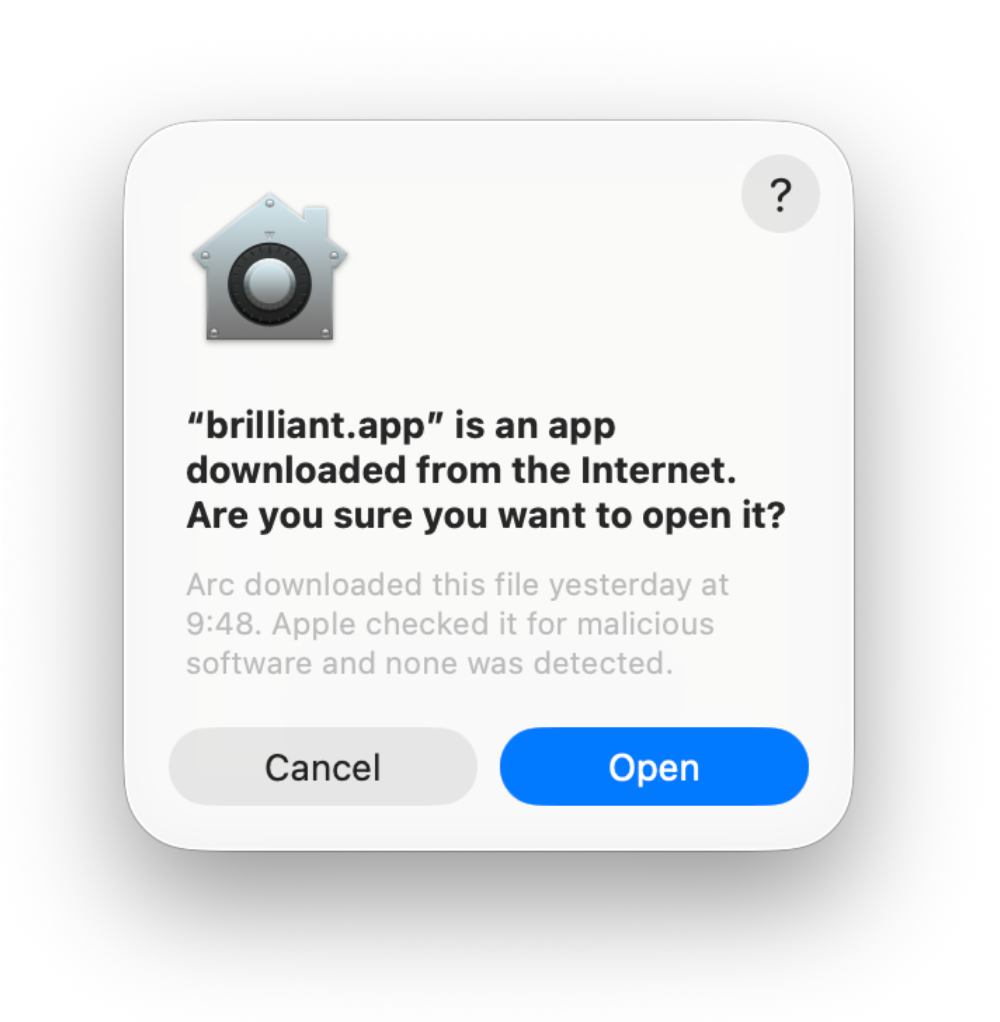
Why won't macOS let me open Brilliant?
macOS shows a one-time confirmation the first time you launch an app that didn't come from the App Store. When the dialog appears, click Open and you're in. You only do this once. The full walkthrough, with a screenshot of the dialog, is on the Download & Install page.
Why does Windows warn me before installing?
If Windows shows a "Windows protected your PC" notice while you run the setup, click More info, then Run anyway. Brilliant keeps itself up to date from inside the app, so this warning only appears the first time. Details are on the Download & Install page.
The canvas
The canvas says "Rendering can't start." How do I fix it?
If Brilliant can't bring up its renderer at launch, the canvas shows a panel titled Rendering can't start with a short reason and two buttons. Click Retry to load the renderer again. If it keeps failing, click Report to copy diagnostics to your clipboard, then quit and relaunch the app.
The canvas stopped rendering. Did I lose my work?
No. If the renderer stops while you're working, Brilliant first tries to recover on its own, showing a small Restoring the canvas… chip while it does. If that doesn't take, it shows a panel titled Something went wrong rendering the canvas and tells you your work is safe. Click Restart rendering to rebuild the canvas and keep going: your design is intact, and the button brings the view back without touching your file. If it keeps failing, click Report to copy diagnostics to your clipboard.
AI and agents
Why don't I see Brilliant AI in the model picker?
Brilliant AI on desktop needs version 0.1.0-beta.71 or later; on earlier builds the chat runs on your own AI only, so update the app. If the picker shows it but a send answers "Brilliant AI is unavailable right now", the lane is off for your account or network for the moment: sign in, or try again in a while; your own AI keeps working.
Why was my API key rejected in the built-in chat?
Keys are checked the moment you save them, so a bad key fails right away with an inline error instead of failing mid-chat. The usual culprits: the key was pasted with extra whitespace, the account behind it has no billing or credit set up, or (for a custom endpoint) the base URL or model id is wrong. Fix the key on its row in Settings → Your own AI and save again. See Providers and models for where keys live and how validation works.
Why is the chat replaying a demo instead of answering me?
Playground is a toggle, not a fallback: with nothing connected your messages run on Brilliant AI. If you are seeing demos, turn off the Playground toggle at the bottom of the Your own AI pane. More in Connect an AI Provider.
Connections
My coding agent can't see Brilliant's tools. What's wrong?
Two things have to be true for an external agent to reach Brilliant. The app has to be open, because the local server only runs while Brilliant is running. And the agent has to be restarted after you connect it, since most tools load their MCP servers once at startup. In Claude Code, run /mcp to confirm brilliant is listed and connected. Tool-by-tool steps and checks live on each agent page, starting with Use with AI agents.
What if port 3333 is already taken?
Brilliant serves its local endpoint at http://127.0.0.1:3333/mcp. If that port is busy (a second Brilliant window, or another app holding it), Brilliant falls back to 3334, then 3335, so every instance gets its own address. When you connect a tool through Settings → MCP Connections, Brilliant writes the current address for you, and that page always shows the live endpoint. See Use with AI agents for the connection model.
Why does the connection show as off when Brilliant is already in my config?
The checkmark on each tool's row reflects one thing: whether that tool's config points at Brilliant's current local address. If you hand-edited the config, or Brilliant landed on a fallback port (3334 or 3335) while your config still points at 3333, the row reads as unchecked even though a brilliant entry exists. Toggle it on to rewrite the entry to the correct URL, then restart the tool. More in Use with AI agents and the Claude Code page.