Connect Claude Code
Drive Brilliant from the Claude Code CLI: ask it to design in plain English and watch native, editable elements land on your canvas. This is the smoothest of all the integrations, because Brilliant can register itself with Claude Code for you.
Prerequisites
Claude Code installed and signed in.
Brilliant open. The MCP server only runs while the app is running.
Setup
You have two paths. The first needs nothing at all.
Automatic (recommended)
Open the built-in AI chat in Brilliant once (press / on the canvas). Brilliant registers its endpoint with claude for you, including the per-project trust it needs, so the brilliant tools are available the next time you start Claude Code from anywhere.
Manual toggle
If you would rather not open the chat, add the connection from settings:
Open Settings (
Cmd+,) and pick MCP Connections.Flip the Claude Code row on.
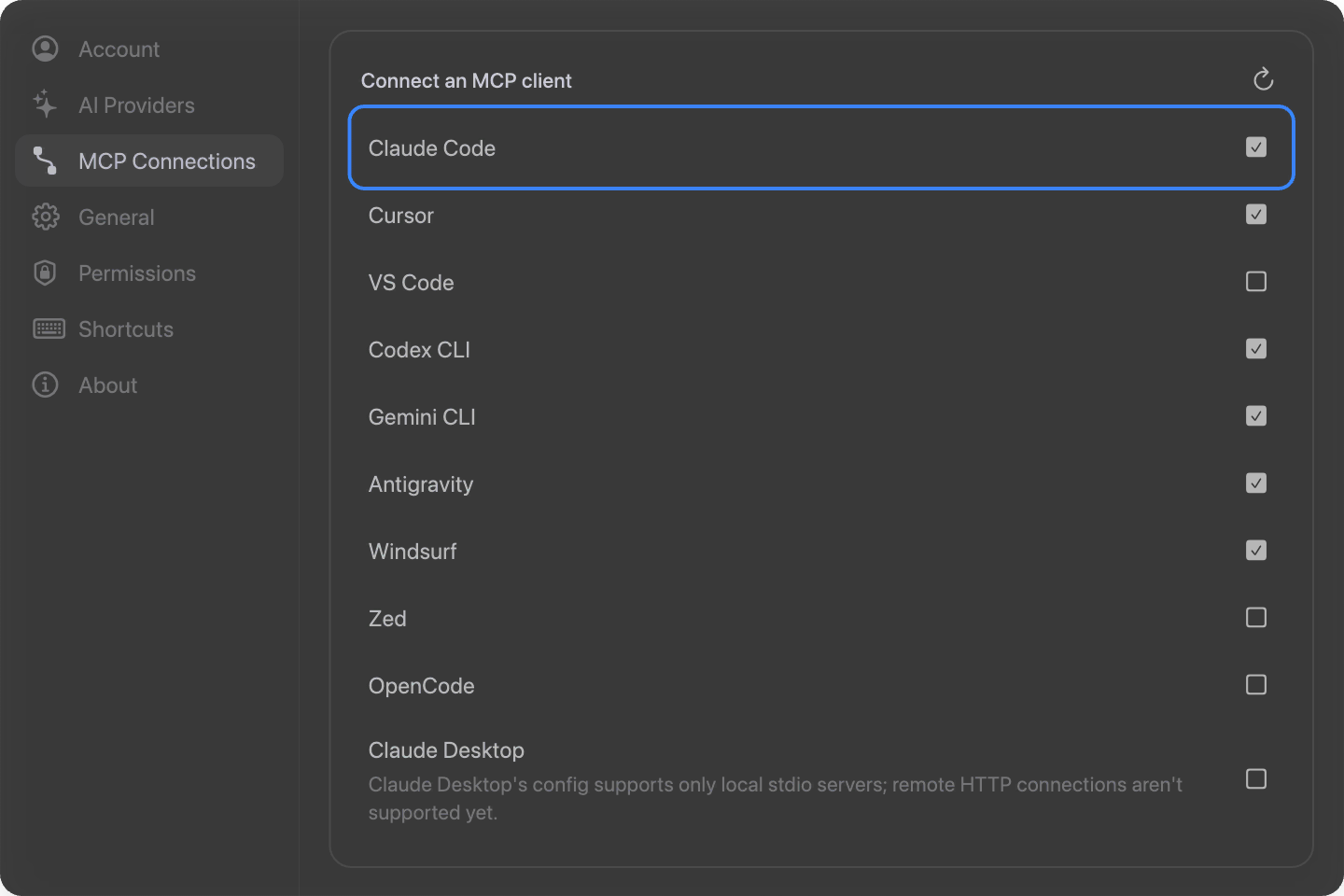
Either way, Brilliant writes a brilliant server entry into ~/.claude.json. Restart Claude Code (or start a fresh session) so it picks the server up.
By hand
If you manage ~/.claude.json yourself, add Brilliant under mcpServers:
{
  "mcpServers": {
    "brilliant": {
      "type": "http",
      "url": "http://127.0.0.1:3333/mcp"
    }
  }
}Use 3334 or 3335 if Brilliant reported a fallback port on startup.
On the web
Everything above is for the Brilliant desktop app. To drive a brilliant.design tab from Claude Code instead, install the local helper once:
claude mcp add brilliant -- npx -y @brilliant-hq/mcpThen open brilliant.design in Chrome, Edge, or Firefox, start a Claude Code session, and it connects to your live tab automatically. Everything stays on your machine: the helper bridges Claude Code and the tab over 127.0.0.1, and nothing routes through Brilliant. Chrome and Edge ask for a one-time "local network" permission on the first connect, Firefox does not, and Safari is not supported yet. The in-app walkthrough and the full browser story are in Use with AI agents.
Try it
In a Claude Code session with Brilliant open, describe the outcome:
Design a three-tier pricing section in Brilliant.Read the Dashboard canvas in Brilliant and add a stats row that matches its style.Turn the button in my selection into a reusable component with hover and disabled variants.
Claude Code shines on multi-step work, so lean into it: point it at a real design brief or an existing canvas and let it build, inspect its own result, and refine.

Connected to Framer as well, the same session can carry a design between the two apps. See Send a design to Framer and back.
Troubleshooting
Claude Code doesn't see the
brillianttools. Restart the session; MCP servers load at startup. Run/mcpinside Claude Code to confirmbrilliantis listed and connected."Connection refused" or nothing happens. Brilliant has to be open for the endpoint to answer. Launch it, then retry.
Port mismatch. If 3333 was busy, Brilliant is on 3334 or 3335. Re-toggle the Claude Code row in Settings to rewrite the current address, then restart.
The Settings row shows unchecked even though
~/.claude.jsonhas an entry. The entry points somewhere other than the local Brilliant address (usually a hand edit). Toggle it on to rewrite it to the correct URL.