Handles and profiles
Every account has a handle, and every handle has a profile. This is your identity on brilliant.design: the address people visit, the name on your projects and drops, and the front page of your work.
Your handle
When you sign up, Brilliant assigns you a friendly word-pair handle automatically, something like @blue-penguin. Nothing from your email address is ever used or published; the handle is generated, not derived from who you are.
Your profile lives at brilliant.design/{handle}, and your handle is what appears in every project and drop URL you publish.
Your profile page
Your profile is organized into four tabs:
Overview: your README, your pinned and recent projects, and a year-long activity graph.
Projects: everything you have published.
Drops: your published drops.
Stars: the projects and drops you have starred. The tab counts both, and the page renders as a wall of tiles, the same layout as Explore. Starring is public, so anyone can see what you keep here. See Projects for how it works.
Every star and fork count you see, on a project or a drop, is a button. Click a star count to see who starred it, or a fork count to see the forks people made from it: both open the same activity list, on the tab you clicked. It is the same list whether you open it from a project card, a drop's page, or a drop tile.
Two nice details worth knowing:
Your README is just a project. Create a project named exactly your handle, put a
README.mdat its root, and it becomes the README card on your profile. Editing your profile intro is editing a design file, the same way everything else works.Pin your best work. You can pin up to four projects to the top of your Overview so visitors see your strongest work first. Leave the set empty and Brilliant falls back to showing your most-starred instead.
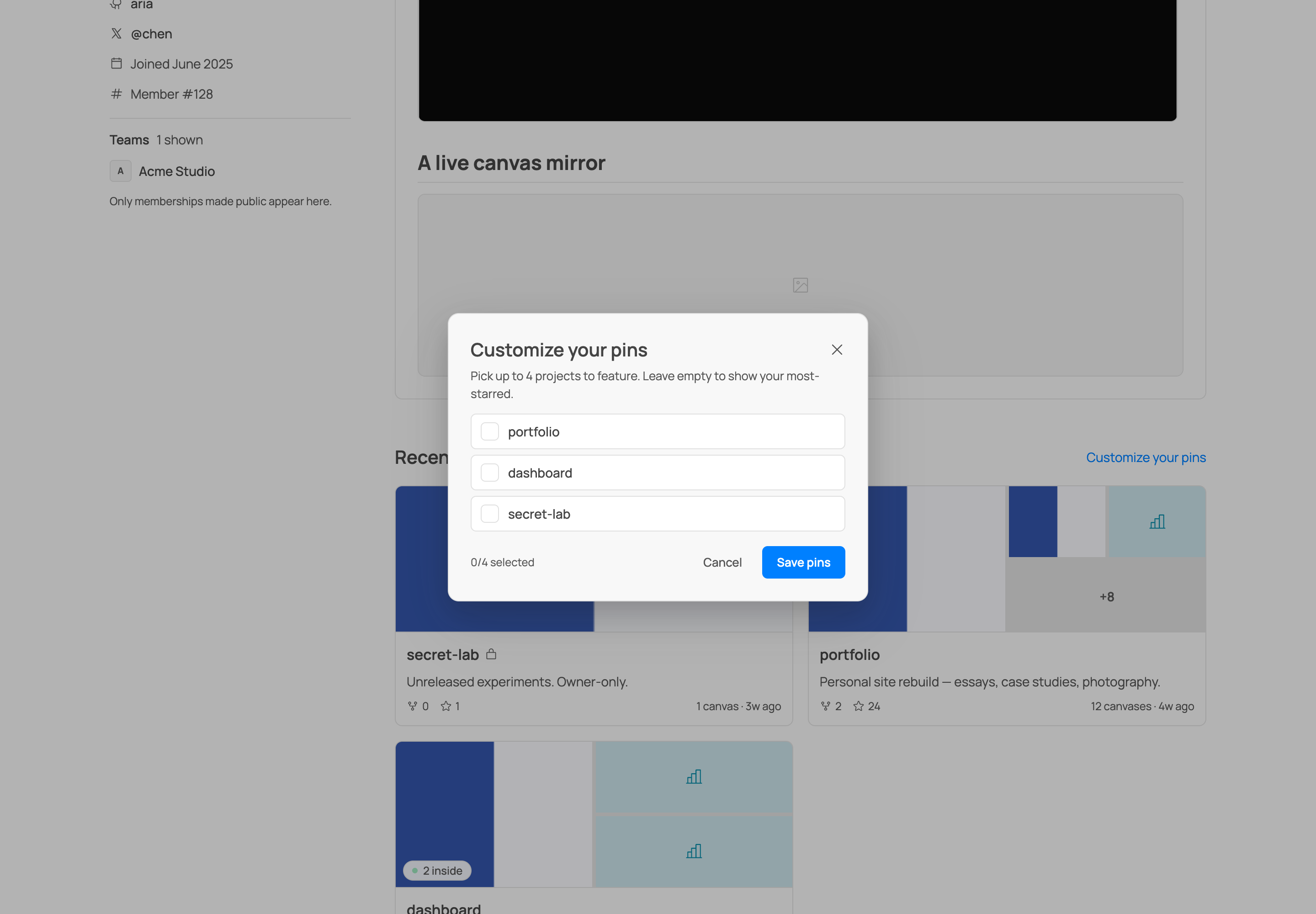
You also carry a Member #N, your permanent early-adopter number. It never changes, even if you rename your handle.
Following people
Profiles carry a follower and a following count, right in the identity rail. On anyone else's profile there is a Follow button too, the visitor's version of the Edit button you see on your own. Following is instant: the button flips to Following and the count ticks the moment you click, and if the request ever fails it quietly rolls back. Click Follow while signed out and Brilliant pops up sign-in, then completes the follow in the same motion once you are in.
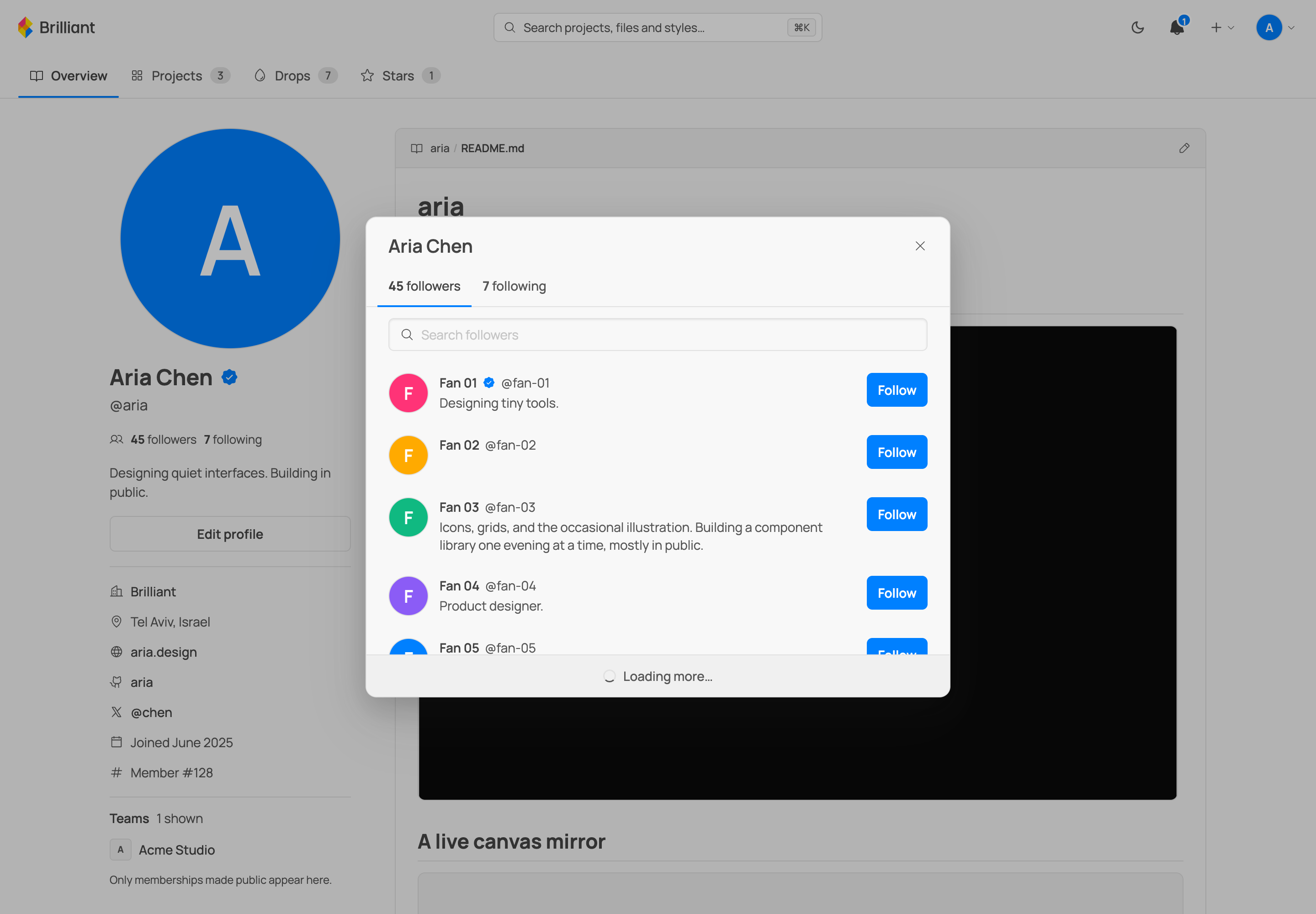
Both counts are buttons. Click one and a list opens with two tabs, followers and following, landing on the one you clicked. Each list is searchable, and every row carries the person's avatar, name, handle, and bio, plus its own Follow / Following button, so you can follow someone straight from the list without leaving it. Your own row never shows the button, and it is hidden entirely when you are signed out.
If a profile predates follows, or a server does not have the feature, the counts and the button simply are not there. Brilliant never paints a fake zero.
Notifications
There is a bell in the platform chrome with an unread badge, and it carries your social life on the platform: someone followed you, someone starred or forked one of your drops or projects, someone invited you to a team or to collaborate, and new publishes from the people and teams you follow. Every row links straight to the thing it is about: a new follower's row opens their profile, a fork's row opens the fork, an invite's row opens the invite card.
Busy events are folded rather than repeated: a drop that picks up stars shows one living row, "Ada and 4 others starred Neon dashboard", and it counts as unread again whenever someone new joins it. Quiet, high-signal events (invites, forks, publishes) always get their own row. Opening the panel marks everything read and clears the badge, and View all at the bottom of the panel opens /notifications, the full history, grouped by day, going back as far as you like.
The bell follows your acting identity: acting as yourself it shows your notifications, and switching to a team shows the team's, so a team's new followers and starred drops live behind the team's bell. Signed out, or on a surface that does not serve notifications yet, it just says you are all caught up rather than showing an error.
If a kind of notification is more noise than signal to you, you can mute it per kind (follows, stars, forks, publishes) in Settings; invites always come through.
Changing your handle
You can change your handle any time. Old links do not break: visits to your previous handle redirect to your current one, so anything already shared keeps working.
Short handles
Handles of six characters or more are free. A short handle, anything under six characters, is a paid feature. If you try to claim one on the Free plan, Brilliant shows it as available and points you to upgrade, but you cannot save it until you are on a paid plan. See Plans and billing.
The blue badge
Paid accounts get a blue badge on their profile. It is derived live from your plan, so it appears when you are on a paid plan and disappears if you go back to Free. Nothing else about your profile changes.
The 30-day reclaim window
When you rename away from a handle, it enters a 30-day reclaim window: links still redirect to you, and you can take the old handle back at any time. A short handle you lose to a lapse works a little differently. It is not released: it is reserved for your account for 30 days (nobody else can claim it, and links keep redirecting), and re-subscribing within the window restores it to you automatically, with no reclaim step. After the window, the handle is free for anyone.
Next
Manage your account: Settings and your account.
Share small pieces under your handle: Drops.
What a paid plan unlocks: Plans and billing.