Brilliant for design engineers
You live in an editor with an agent in it. The design tool is the one place that agent can't reach. Brilliant closes that: it runs a local MCP server the whole time the app is open, at http://127.0.0.1:3333/mcp, and any tool that speaks MCP can design on your canvas.
Driving Brilliant from an external agent is unlimited on every plan, Free included, except an image an agent generates on Brilliant AI, which draws on your Brilliant AI usage and is capped like the chat's.
Point your editor at the canvas
Setup is a one-time step per tool. If the tool is in Brilliant's built-in list it's a single toggle; otherwise you paste one line of config. Claude Code, Claude Desktop, Cursor, Codex CLI, GitHub Copilot in VS Code, Windsurf, and Antigravity each have a page with exact steps, and Settings → MCP Connections carries the live list (Gemini CLI, Zed, and OpenCode included).
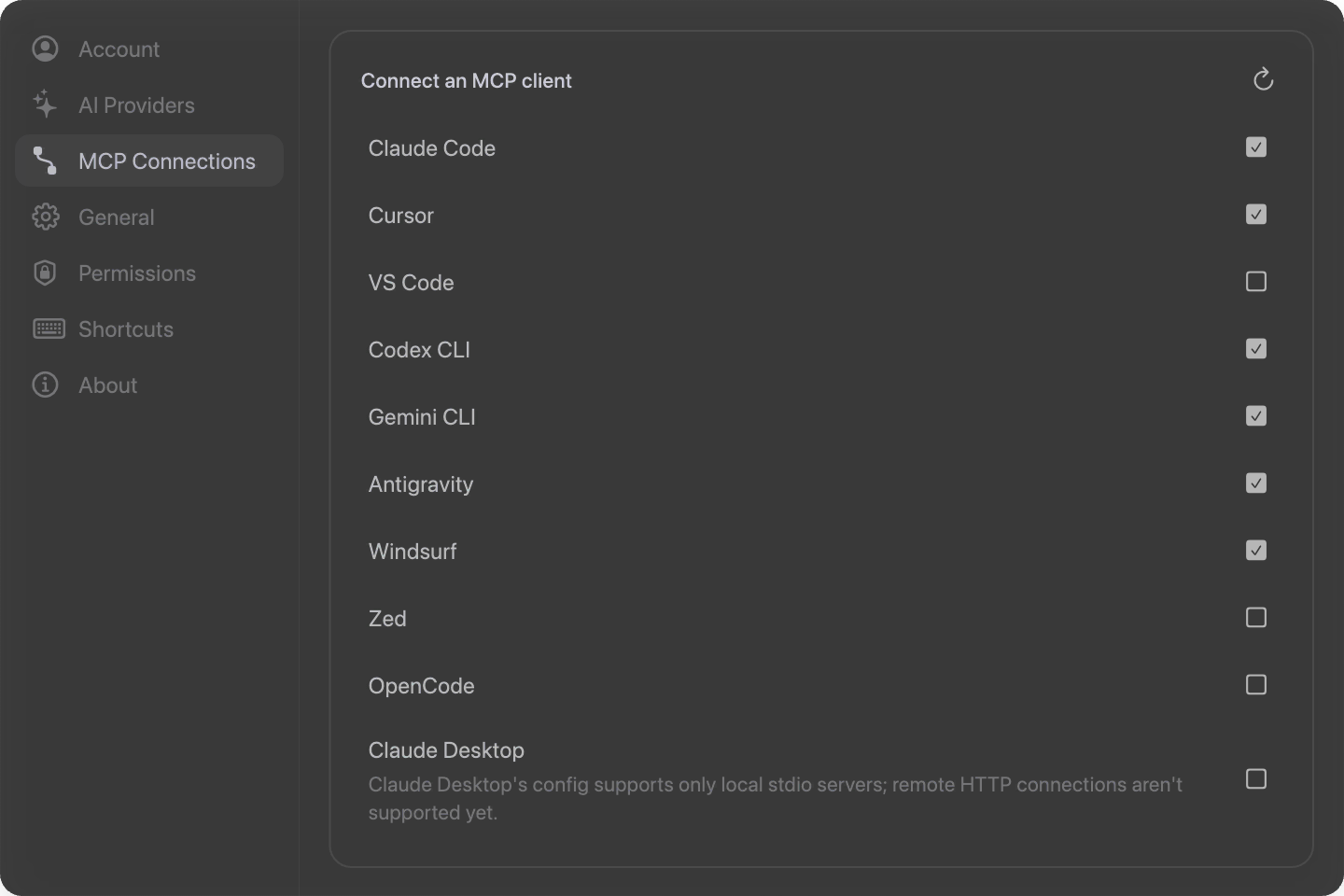
If you use Claude Code, the fastest setup is no setup. Open the built-in chat in Brilliant once and it registers the endpoint with claude for you. From then on: "Add a hero to the dashboard canvas."

Agents write a language, not JSON
An agent driving Brilliant writes Blueprint: a compact, line-oriented DSL for 2D design. One element per line, children indented under their parent, references that let one line point at another, and a grammar that fits on a page.
al(v,g($spacing.lg),pad($spacing.xl)) s(360,hug) f[($color.surface)] rd($radius.md) "Card"
t("Settings",$font.family,$font.size.lg,sb) f[($color.text.primary)] #titleThat density is the point: a card that runs ten lines of JSON is one line of Blueprint. Values like $spacing.lg aren't literals, they're design tokens resolved through the document's design system, so an agent stays on your system by default rather than guessing hex codes.
You never have to write Blueprint yourself. Brilliant serves the grammar to agents over MCP, so they arrive fluent.
Design files that behave like source
.bl files are plain, deterministic Blueprint text: one element per line, stable ordering, inline coordinates, hex colors. Clean diffs, blameable history, branchable experiments.
 c16fc75741feed85 fr p(80,80) s(480,320) rd(16) "Hero"
-  88625e475868c087 r p(24,24) s(160,100) f[(r1,#F8F8F8)] rd(8) "Panel"
+ 88625e475868c087 r p(24,24) s(160,100) f[(r1,#0080FF)] rd(8) "Panel"A published project is also a real Git repository with a clone URL of the form https://api.brilliant.design/git/{handle}/{project}.git.
Getting markup back out
Export the selection as HTML plus inline CSS (snippet, full document, or flex), or as React JSX ready to paste into a .tsx file. Copy as puts the same thing on your clipboard, along with CSS properties or raw Blueprint.
The honest boundaries
The MCP endpoint is localhost only and unauthenticated, and Brilliant has to be open for a connected tool to reach it. Brilliant components are design components: they don't run your app code, and there's no way to drop a live React component onto the canvas. The generated HTML and React come from vector shapes rather than being the design's native format, so treat them as a starting point for your stack, not a build artifact.
Next
Connect your editor: Use with AI agents.
Read the language agents speak: The Blueprint DSL.
See every export format: Import and export.
Understand the file layout: Canvases and files.