Apply a brand change everywhere
A rebrand is only painful because the brand lives in a thousand places. In Brilliant it lives in one: a plain-text file in your project's Styles/ folder. A brand overlay is often three or four lines, and switching to it re-skins every element bound to a token.
The work is in the binding, not the switch. Do it once and the switch is free forever.
Bind properties to roles, not values
A token is a named decision. Instead of #0080FF on twenty buttons across thirty canvases, you reference primary.mid and change the seed in one line.
Semantic roles are the ones to reach for, because they're mode-aware: the same name resolves to one value in light and another in dark. color.surface, color.text.primary, spacing.md, radius.lg. Primitive stops like $primary.500 stay identical in every mode, which is what you want for something that must never flip.
You don't have to open the file to bind. The right toolbar's color picker, spacing inputs, and typography controls all bind a property to a token with a click, and an agent working on the canvas reaches for tokens on its own when a design system is active.
Type and shadows bind too, through composites: typography.h1 bundles font size, weight, and line height into one named unit, and shadow.md is a list of drop layers. Apply the composite once and editing it later moves every element wearing it. That matters in a rebrand, where the type ramp and the elevation ladder usually change alongside the color.
A brand is a sparse overlay
Brands are sibling .ds files next to default.ds. They declare only the deltas: a seed, maybe a font family, a few overrides where this brand wants different behavior. Everything else cascades from the base.
// Styles/acme.ds
primary:     boldness(color(#FF6A00))
font.family: Inter

color.primary { $default: primary.firm, dark: primary.subtle }Tailwind-style palettes, typography composites, and the rest of the chrome aliases all inherit. Ask an agent to write one for you ("add an alternate brand called sunset with a warm orange primary") and it drops the file into Styles/ and flips the canvas to it.
Switch and watch
The Design system section sits at the top of the right toolbar, with a dropdown per mode axis plus the brand picker. Hover to preview, click to commit. With nothing selected you set the canvas-level override, which persists in the .bl file; with a selection you set it per element instead.
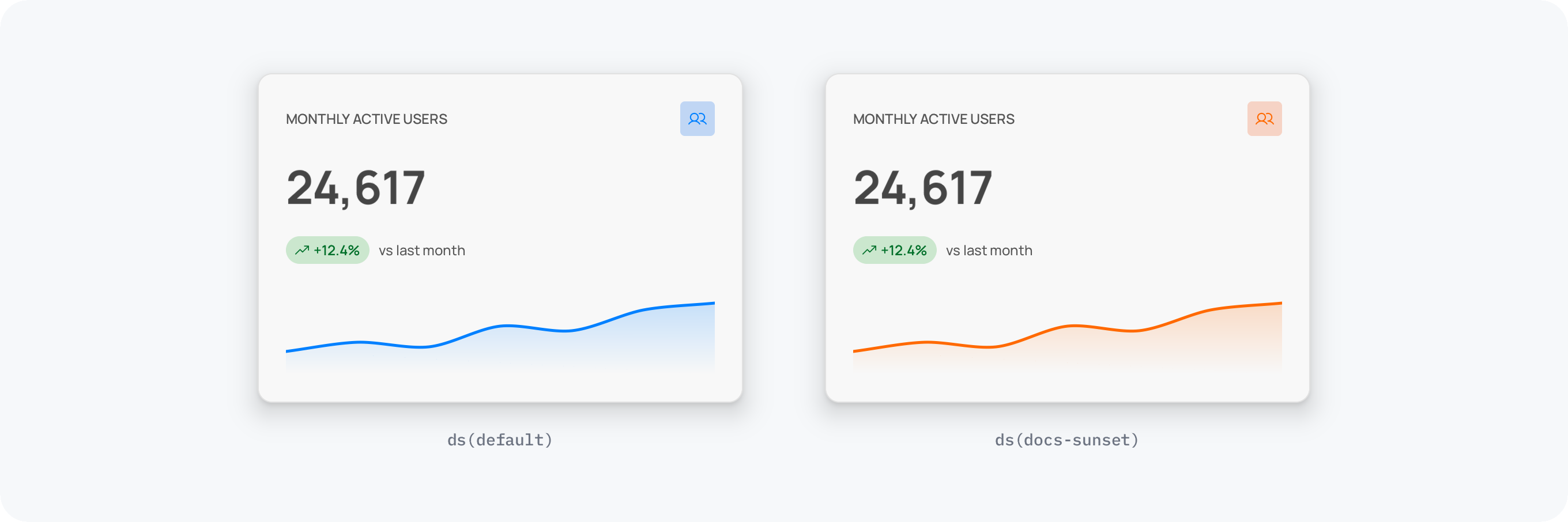
Here is a card already switched to an alternate brand. Change the brand, flip the theme, or tighten the density, and everything bound to a token re-skins at once:
Surfaces darken, ink lightens, accents flip, and nothing in the layout moves, because each property resolves through a role rather than a fixed value.
The cascade is per element first, then per canvas, then folder, so you can hold one screen in the old brand while the rest of the project moves. And because the design system cascades down the folder tree like .editorconfig, a Marketing/ subfolder can carry its own overrides on top of the project-wide base, or stop the walk entirely with root: true.
What won't follow
Anything set to a raw hex stays that hex. That's the whole failure mode, and it's easy to fix: select the element and tell the agent to bind the fill to the closest design system token, then switch again.
Two other edges worth knowing. Primitives are mode-independent on purpose, so a seed that must differ per mode needs two primitives with a semantic routing between them. And transforms: on a generator replaces the defaults entirely rather than merging, so an override is a full statement of the behavior you want.
Next
Theming, custom axes, and multi-brand: Modes & Brands.
Every token type and the built-in defaults: Tokens.
Watch a card re-skin, step by step: Design tutorials.
Start from the beginning: Design system overview.