A real design canvas, right in ChatGPT
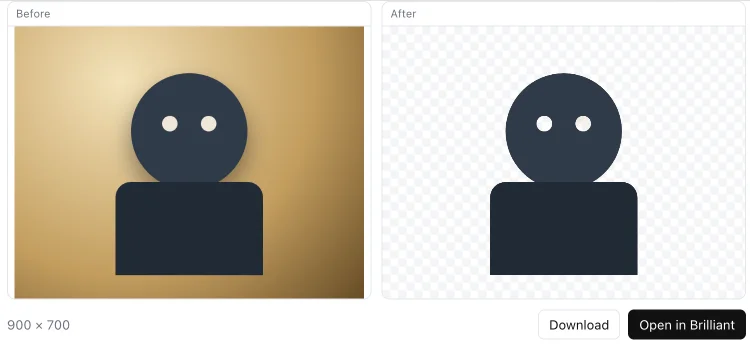
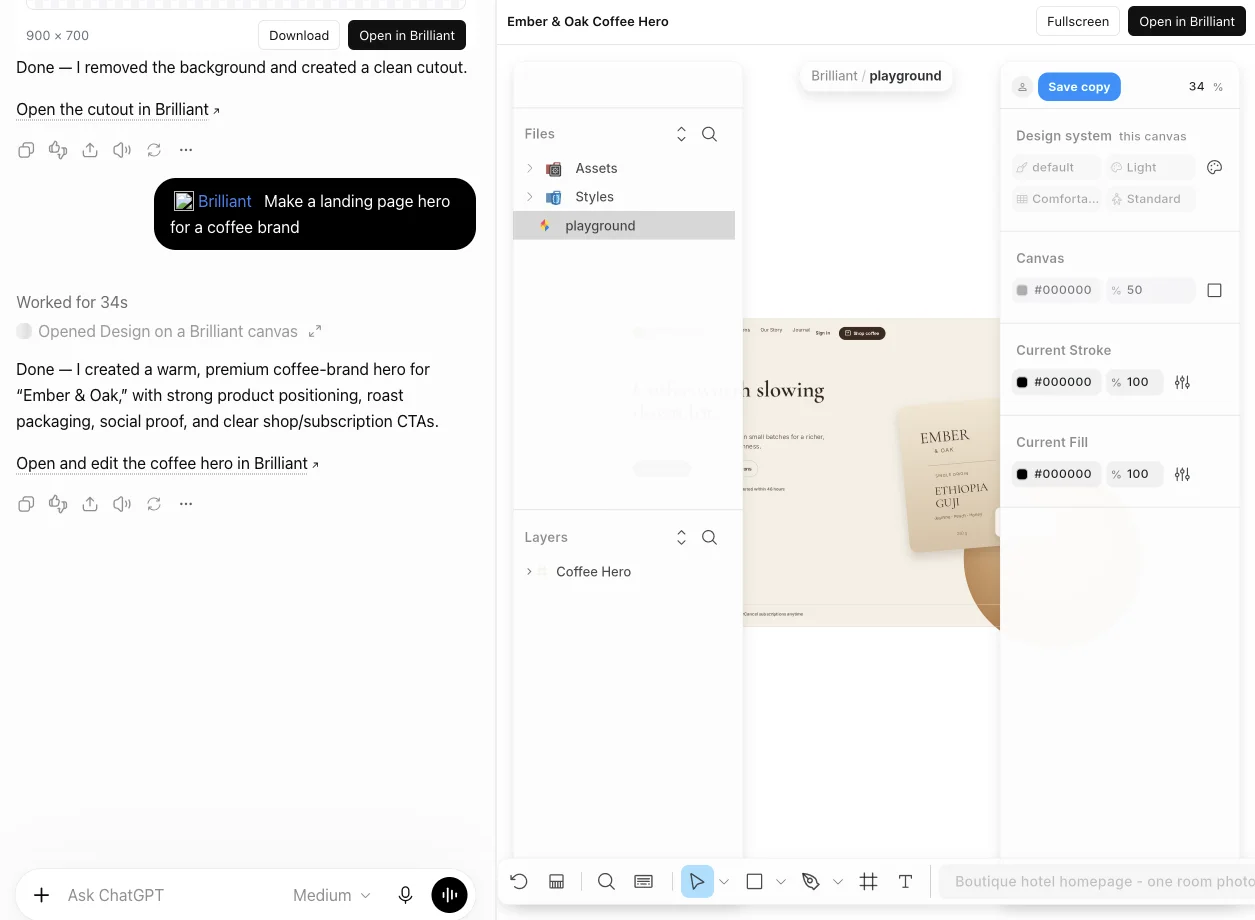
Ask for a page, a screen or a post and watch it stream onto a Brilliant canvas in the chat. Edit it by hand, then open it in Brilliant to download it or keep working. It removes a photo's background too.
Add Brilliant to ChatGPT
In ChatGPT, open Plugins, press +, and choose Create custom MCP server.
Name it Brilliant, paste this URL, check I understand and want to continue, and choose Create as a plugin.
In any chat, type @Brilliant, or just ask for a design.
Available on the ChatGPT plans that let you add a custom MCP server. OpenAI's guide
What you get
- A live canvas in the chat
Your design streams onto a real canvas beside the conversation, element by element.
- Edit it by hand
Change the text, colors and layout yourself, or ask for the next version in the chat.
- Keep going in Brilliant
Open it in Brilliant to download it, share it, or keep designing.
Attach a photo and ask Brilliant to remove the background. You get a clean cutout to download or open in Brilliant. Or remove one here